Overlays Panel
Overlays, which are available on the Overlays panel shown below, can be included in animated sequences and screen captures and can be saved in a session or in the Dragonfly file format (*.ORSObject file extension).
Overlays panel
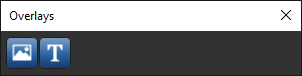
The following tools are available on the Overlays panel.
| Item | Icon | Description |
|---|---|---|
| Image |

|
Adds a selected image, such as a company or institutional logo, graph, or image captured from Dragonfly (see Adding Image Overlays). Images can be resized and positioned as required, and opacity is adjustable. |
| Text |

|
Adds a text overlay (see Adding Text Overlays). Text color, font face, size, and alignment are selectable and opacity is adjustable. Text overlays can be resized and positioned in a scene view as required. |